

Your Old Laptop Doesn't Meet Windows 11 Requirements
28 September 2026 · by FTDS HARDWARE
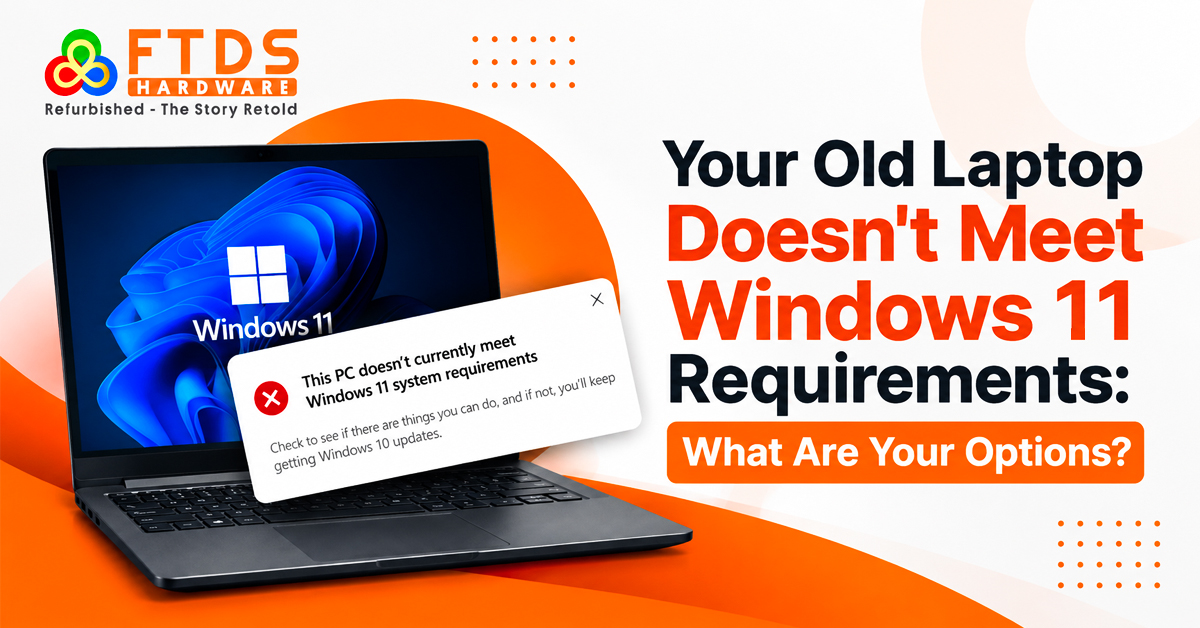
If your older laptop does not meet Windows 11 requirements, replacement may be unnecessary. Check the failed requirement and hardware.
Why doesn't my old laptop support Windows 11? Compatibility Check
Why doesn't my old laptop support Windows 11? Identify the failed requirement. Windows 11 system requirements include a compatible 64-bit processor, sufficient RAM and storage, UEFI firmware with Secure Boot capability and TPM 2.0. Common failures include:
RAM or storage does not meet the Windows 11 minimum requirements
This check is important because an older laptop can still perform everyday tasks well while failing the official Windows 11 compatibility rules.
Windows 11 Compatible Laptop Chennai: Check the Hardware
Age is only one factor when searching for a Windows 11 compatible laptop Chennai option. Processor compatibility, TPM 2.0, Secure Boot, RAM, storage and UEFI firmware affect the upgrade path.
Can I upgrade my old laptop to Windows 11? Check the Hardware First
Can I upgrade my old laptop to Windows 11? Sometimes. If the processor is supported, enabling TPM 2.0 or Secure Boot in UEFI may be enough. A RAM or SSD upgrade can help when memory or storage is limiting performance, but cannot make an unsupported processor officially supported.
Refurbished Laptops in Chennai: Consider a Supported Replacement
If the existing machine has an unsupported processor, aging battery, failing storage or several hardware limitations, repeated upgrades may not be practical. In that situation, refurbished laptops in Chennai can provide a replacement without the cost of a brand-new computer.
When comparing a refurbished system, check:
- Supported processor generation and model
- TPM 2.0 and Secure Boot capability
- RAM and SSD capacity
- Battery and storage condition
- Windows activation
- Testing, warranty and return terms
The goal is not simply to find a lower-priced laptop. It is to choose a configuration that meets Windows 11 hardware requirements and suits your actual workload.
Why doesn't my old laptop support Windows 11?
Why doesn't my old laptop support Windows 11? This can still fail official Windows 11 compatibility rules. Windows 11 hardware requirements are stricter around supported CPU generations and security features. Check whether TPM 2.0 is disabled before deciding that the laptop is obsolete. A supported machine may become eligible after the appropriate security settings are enabled.
Second Hand Laptop in Chennai: Look Beyond the Purchase Price
A low price can be attractive, but second hand laptop in Chennai should consider Windows 11 compatibility, battery, SSD condition, processor generation and previous repairs.
Ask the seller for:
Ask for the CPU, RAM, storage, TPM 2.0, Secure Boot, battery condition, Windows activation and warranty terms rather than buying an outdated laptop.
These details help distinguish a usable pre-owned system from an outdated laptop that could require immediate additional spending.
Refurbished Laptops in Chennai: Inspect the Device Before Buying
For buyers comparing refurbished laptops in Chennai, check SSD health, battery, display, ports and Windows activation.
Pay attention to:
- SSD health and boot performance
- Screen, keyboard, touchpad and ports
- Webcam, speakers, Wi-Fi and Bluetooth
- Battery charging and power behaviour
- Windows activation and available updates
A documented inspection provides more useful evidence than a simple claim that the laptop is working.
Can I upgrade my old laptop to Windows 11? Know When Upgrades Make Sense
Can I upgrade my old laptop to Windows 11? If the CPU is supported and only memory or storage needs improvement, targeted upgrades can make sense. An SSD improves loading, while RAM helps multitasking. These upgrades cannot make an unsupported CPU officially compatible.
Windows 11 Compatible Laptop Chennai: Choose for Continued Use
A Windows 11 compatible laptop Chennai search should focus on the configuration. A supported processor, TPM 2.0, Secure Boot, adequate RAM and SSD storage provide a foundation for continued use.
Why doesn't my old laptop support Windows 11? Compare the Availability
Why doesn't my old laptop support Windows 11? The problem may be a firmware setting, an upgradeable component or a fundamental hardware limitation.
Use this decision path:
- TPM or Secure Boot disabled: Check UEFI settings before replacing hardware.
- Low RAM or storage: Consider an appropriate upgrade.
- Supported CPU but aging components: Compare repair and upgrade costs.
- Unsupported CPU plus multiple hardware problems: Evaluate replacement options.
- Replacement required: Compare new and refurbished Windows 11-ready systems.
Refurbished Laptops in Chennai: Verify Testing and Warranty
Before choosing refurbished laptops in Chennai, verify testing, specifications, warranty and return policy. Confirm that the Windows 11 configuration has been checked. This makes different systems easier to compare on the same basis.
Second Hand Laptop in Chennai: Confirm Compatibility Before Payment
If you are considering a second hand laptop in Chennai, complete the Windows 11 compatibility check before payment. Confirm the CPU model, TPM 2.0, Secure Boot, RAM and storage rather than relying on claims such as ‘Windows-ready.
Can I upgrade my old laptop to Windows 11? Compare the Costs
Can I upgrade my old laptop to Windows 11? Compare upgrade costs with another laptop's price. If the system needs only an SSD and memory upgrade, keeping it may work. If it needs motherboard-level work, battery replacement and further upgrades while retaining an unsupported processor, replacement deserves consideration.
Windows 11 Compatible Laptop Chennai: Use a Practical Buying Checklist
When evaluating a Windows 11 compatible laptop Chennai option, use this checklist:
- Confirm the supported CPU.
- Check TPM 2.0 availability.
- Verify Secure Boot and UEFI.
- Confirm RAM and storage requirements.
- Run PC Health Check where applicable.
- Check SSD health and battery condition.
- Verify Windows activation.
- Review warranty and return terms.
Refurbished Laptops in Chennai: Plan Beyond the Upgrade
For some buyers, refurbished laptops in Chennai can bridge the gap between an unsupported old system and a new computer. The key is selecting a configuration that satisfies Windows 11 requirements instead of buying based only on price.
Second Hand Laptop in Chennai: Don't Buy Only for the Price
A second hand laptop in Chennai may handle basic work and browsing, but verify compatibility, condition and support before paying.
Final Thoughts
“Why doesn't my old laptop support Windows 11? Check the processor, TPM 2.0, Secure Boot, firmware, RAM and storage. Then decide whether to enable a security setting, upgrade suitable components, continue using the system or replace it.
The question "Can I upgrade my old laptop to Windows 11? is best answered by the hardware check.”